A dopamine menu is a short list of things you can pick from when you’re flat or stuck, set out like a restaurant menu so you don’t have to think too hard about what to order. This dopamine menu is built for working days: what you can grab at your desk in five minutes, what fits between client calls, and what to save for the weekend, all without spending a cent.
What a dopamine menu is
Think of it as a takeaway menu, sorted by how much time you’ve got.
When you’re flat, choosing what might help is the hard part. So you do the choosing earlier, on a better day, and future you just points at something. The Mayo Clinic News Network describes a dopamine menu as a new name for what psychologists call behavioural activation, so the idea has been around a lot longer than the trend.
The menu bit isn’t just cute branding, either. Sorting options by how long they take means you never have to ask “what do I feel like?”, which is a terrible question to ask a flat brain. You only have to ask “how long have I got?”, and that one has an actual answer.
Most dopamine menu lists online are lovely, and also written for someone with a free Saturday and a bath. This one’s for a Tuesday with three deadlines and a client who “just has a quick question”. The thing that helps you reset doesn’t have to look restorative. It just has to change what your brain is being asked to do.
How to make a dopamine menu in 15 minutes
Grab the printable (or the back of an envelope), set a 15-minute timer and fill in four sections:
- Starters: 5 minutes or less. Quick resets you can do without leaving the building. Or the chair.
- Mains: longer and more absorbing. For a proper break, like lunch or knock-off time.
- Sides: things that go alongside a boring task. They don’t replace the task, they keep it company.
- Desserts: lovely, but they will eat your entire afternoon if you let them. Every dessert gets a limit written next to it.
The twist that makes it work: write it on a good day. Like meal prep, but for your attention. Flat-day you is not in a menu-planning mood, and shouldn’t have to be.
How to order from it. Start with a starter. If that doesn’t shift anything, pick a side and start the boring task anyway, with company. Mains are for actual breaks, not for avoiding the inbox at 10:14am. Desserts only come out with a timer already set. That’s the whole ordering system, and it fits on a sticky note.
Dopamine menu ideas for a work day
Copy these, cross out anything that isn’t you, add your own. Nothing here costs money or needs special gear.
Stuck for your own? Ask yourself: what have I done lately that made an afternoon feel less like wading through custard? Write those down first. Your own list will always beat ours, because ours has never met your Tuesdays.
Starters (5 minutes or less)
- Step outside and look at something far away for a minute
- Make a drink in your favourite mug (we’re biased about mugs, moving on)
- Play one song you love, loud, and do nothing else until it ends
- Send a friend a voice memo that starts with “ok but did you see…”
- Clear only the bit of the desk you can see. Not the drawers. Nobody’s ready for the drawers
Mains
- A walk with no podcast and no phone call. Just a walk
- 30 minutes on a project that’s purely yours, not a client’s
- Cooking a proper lunch instead of eating crackers over the sink
Sides
- An “admin only” playlist you save for boring jobs
- A visible timer, and the boring job only gets as long as the timer
- A mate on a video call, both working, mostly silent
- A change of scenery: the kitchen bench, the balcony, the floor if it comes to that
Desserts (with limits)
- Scrolling. Limit: one timer, and the phone goes to another room when it rings
- One episode of something. Limit: one. Autoplay off. You know why
- Making your Notion prettier. Limit: 20 minutes. Delightful. Also a trap. We would know
A break doesn’t have to make you calmer to have worked. Sometimes what you needed wasn’t less stimulation. You needed different stimulation.
Where to keep it so you actually use it
A dopamine menu in your notes app is a dopamine menu you will never see again. Put it where your hand already goes when you’re stuck:
- Next to the kettle, because that’s where procrastination goes to stand around
- On your phone lock screen, so it’s there before the scroll starts
- On the edge of your monitor or taped inside your planner
And make it look like a menu. Seriously. Give it a name, give it headings, draw a terrible little fork on it. A list that looks like a chore list gets treated like a chore list, and nobody has ever felt cheered up by reading their own chores.
Then add a specials board. Once a week, swap one or two items for something new. Menus go stale, same as restaurants. If you’ve stopped noticing yours, it needs specials.
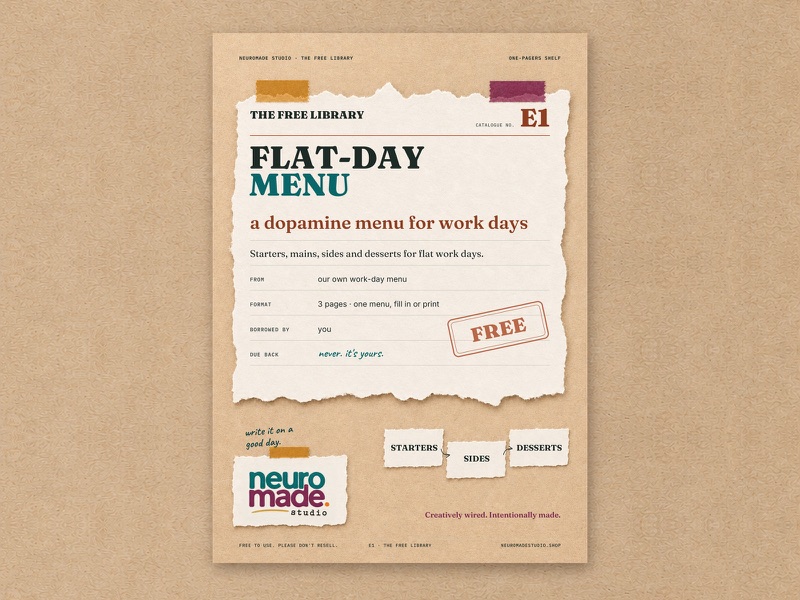
Get the free dopamine menu printable
The free printable is a one-page dopamine menu with all four sections ready to fill in, on screen or on paper. If you want a whole setup for focus days, not just the menu, that’s the Study & Focus Space workbook, in PDF or Notion.